Table of Contents1. Introduction 2. The Rise of WhatsApp for Business Communication 3. What is WhatsApp Integration in Billing Software? 4. Step-by-Step: How to Share Invoices Instantly via WhatsApp 5. Benefits of Sharing Invoices via WhatsApp 6. Conclusion |
|
Introduction
Here's a familiar routine. You finish a job, open your billing tool, create the invoice, download the PDF, switch to WhatsApp, find the customer's chat, attach the file and hit send. Then you do it all again for the next customer.
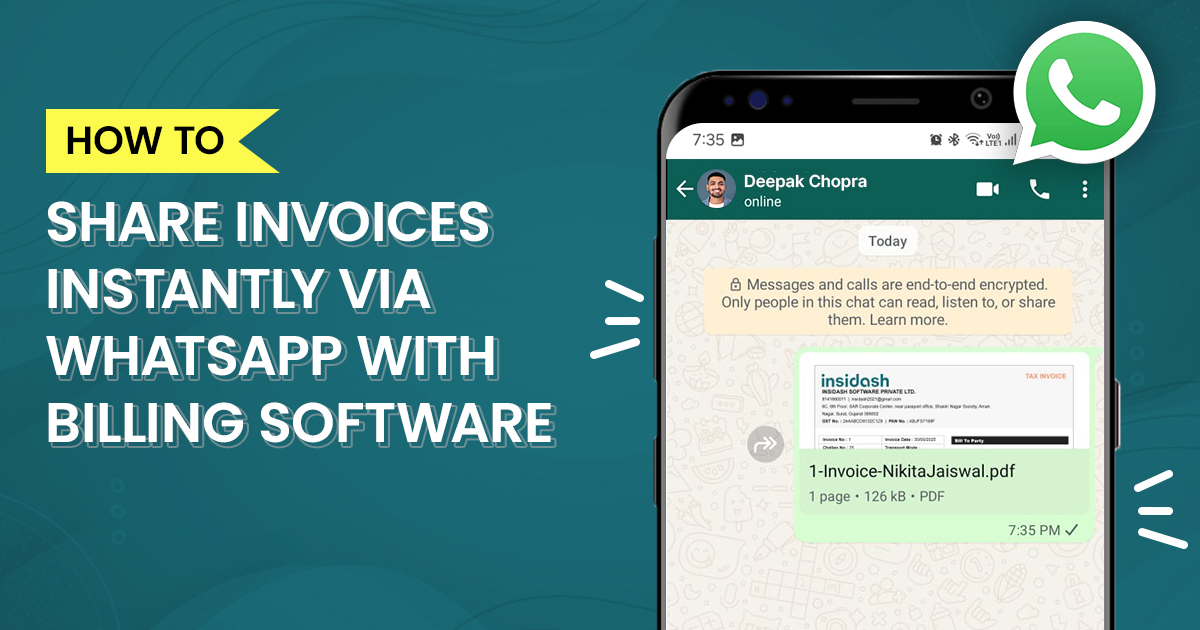
It works, but it's slow, and it's easy to attach the wrong file or send it to the wrong chat. The good news is that you don't have to do it this way. Billing software with WhatsApp integration lets you create an invoice and send it to the customer's WhatsApp in a couple of taps.
This guide explains how WhatsApp billing works, the different ways to send an invoice on WhatsApp, what to check if you need GST-compliant invoices, and what to know before you try bulk sending or automatic reminders.
Why WhatsApp Works So Well for Invoicing
Most of your customers already have WhatsApp open all day. An invoice that lands in a chat is far more likely to be seen than one buried in an inbox or a spam folder, and the customer can open, save or forward the PDF without leaving the app.
For small businesses, that usually shows up in three ways:
- Faster payments. Invoices get seen sooner, so payment conversations start sooner.
- Less back and forth. There's no "did you get my email?" follow-up.
- A cleaner paper trail. The invoice, the payment link and the customer's reply all sit in one chat.
Is There Billing Software That Can Send Invoices Directly Through WhatsApp?
Yes. This is a standard feature in many billing apps now, though what "directly" means differs from one product to the next. In practice there are three levels:
- A share button. You create the invoice, tap Share, choose WhatsApp, and the app opens the customer's chat with the PDF already attached. You press send yourself.
- Messages from your WhatsApp Business number. The software sends from your business account, so the invoice comes from your business name rather than your personal chat.
- Fully automatic sending. The software connects to the WhatsApp Business Platform (the API) and sends invoices and reminders by itself, based on rules you set.
So if you're asking whether you can find billing software that lets you send invoices directly through WhatsApp to customers, the answer is yes, but check which of the three levels it offers before you commit. Most small businesses are well served by the first one.
How to Send Invoice on WhatsApp: Three Ways
Way 1: Manually, with no special software
Create the invoice, save it as a PDF, open WhatsApp (the app or WhatsApp Web), choose the customer's chat, tap the attachment icon, select Document, pick the PDF and send. It's free and it works, but every step is manual.
Way 2: One-tap sharing from billing software
This is the sweet spot for most small businesses. The software has a WhatsApp option built into the invoice screen. It opens the chat with the PDF already attached, so you skip the download-and-attach steps.
Way 3: Automated sending through the WhatsApp Business API
Here the software sends messages on your behalf, using pre-approved message templates. It suits businesses with a lot of invoices or recurring billing. It needs a WhatsApp Business Platform setup, and Meta charges for template messages, so it's the most involved option of the three.
How Can I Send Bills to Customers Through WhatsApp?
If your billing app has WhatsApp sharing, the flow looks like this:
- Create the invoice. Add the customer, items, quantities, GST rate and any discount.
- Check the details. Confirm the customer's name, GSTIN (for B2B), place of supply and total.
- Make sure the customer's number is correct. Save it with the country code. A wrong digit sends your invoice to a stranger.
- Tap Share and choose WhatsApp. The PDF is attached and the chat opens.
- Add a short message and send. Something simple works well: "Hi Priya, here's your invoice for October. You can pay by UPI using the link below. Thank you!"
- Keep the record. Good software logs that the invoice was shared, so you can see what's gone out.
If you add a UPI payment link or QR code to the invoice, the customer can pay straight from the chat.
Which Software Helps Create GST-Compliant Invoices and Send Them Directly Through WhatsApp?
There are plenty of billing apps out there, and you'll want to compare a few. Rather than choosing by brand name alone, look for these things:
- GST-ready invoices. The invoice should carry every particular GST law requires (more on that below), including GSTIN, HSN or SAC codes, tax split and place of supply.
- Automatic tax calculation. CGST, SGST and IGST should be worked out for you.
- WhatsApp sharing built in. One tap from the invoice screen, with the PDF attached.
- A clean, professional PDF. It should be easy to read on a phone.
- Payment links or UPI QR. This helps you get paid right from the chat.
- A sent log. You should be able to see which invoices have been shared and when.
- E-invoice support, if it applies to you. Businesses above the e-invoicing threshold need the IRN and QR code on the invoice.
- Mobile access. If you bill from the shop floor or on site, a phone app matters.
Insidash is built for exactly this kind of small business billing: you create a GST invoice and share it on WhatsApp from the same screen. Try it against the checklist above and see if it fits how you work.
Does sending on WhatsApp affect GST validity?
No. WhatsApp is just the delivery channel. What makes a tax invoice valid is its content. Rule 46 of the CGST Rules lists the required particulars, which include:
- The words "Tax Invoice"
- Your name, address and GSTIN
- A consecutive invoice number (up to 16 characters) and the date
- The customer's name, address and GSTIN, for B2B sales
- HSN or SAC code, description and quantity
- Taxable value, tax rate and tax amount
- Place of supply, and whether reverse charge applies
- The supplier's signature or digital signature (subject to the e-invoice exception)
For sales to unregistered customers, extra details such as the delivery address, state and state code are needed when the invoice value is ₹50,000 or more. Good billing software puts all of these on the bill for you. If you're covered by e-invoicing, share the PDF that carries the IRN and QR code.
Best Free Invoicing Software With WhatsApp Sharing for Small Businesses
Plenty of invoicing tools have a free plan, and for a small business that's a sensible place to start. But free plans differ a lot, so don't compare them by price alone. Before you settle on one, check:
- How many invoices you can create each month or year
- Whether WhatsApp sharing is included in the free plan, or locked behind a paid one
- Whether the invoices are GST-compliant, with HSN, tax split and place of supply
- Whether you can use it on mobile as well as on a computer
- What you lose by staying free, such as reminders, reports or multiple users
- Whether you can export your data if you decide to move
Try two or three on your real invoices for a week. The one that feels easiest when you're busy is usually the right pick.
WhatsApp Business Invoice: App vs. API
If you want your invoices to come from a proper business account, here's how the two WhatsApp business options compare.
The WhatsApp Business app is free and built for small businesses. You get a business profile, labels, quick replies and broadcast lists. It's handled on a phone and works well for a modest number of customers.
The WhatsApp Business Platform (API) is meant for higher volumes and automation. Software connects to it to send template messages without you pressing send. You need customers' opt-in, and Meta charges per delivered template message. Rates depend on the message category and the country, and they're revised from time to time, so check Meta's current pricing before you plan around it.
A useful rule of thumb: stay on the Business app while you're sending a few dozen invoices a day by hand, and look at the API once volume or automation becomes the bottleneck.
Sending Bulk Invoices and Payment Reminders on WhatsApp
Bulk sending is where people run into WhatsApp's limits.
- Broadcast lists on the Business app hold up to 256 contacts, and a message only reaches people who have saved your number. If a customer hasn't saved it, they won't get the broadcast.
- Through the API, there's no 256-contact cap and recipients don't need to have saved your number, but you must have their opt-in and use approved templates.
For invoices and payment reminders, templates in the "utility" category are the usual fit, because they relate to a transaction the customer already has with you. Promotional wording in a reminder can get it classified as marketing, which costs more and may be rejected. Keep reminders factual: the invoice number, the amount, the due date and how to pay.
Tips for Sending Invoices on WhatsApp the Right Way
- Ask for permission. Tell customers you'll send bills on WhatsApp and get their consent, especially before automating anything.
- Use a business number. It looks more professional and keeps work chats separate from personal ones.
- Name your files clearly. Something like "Invoice-1042-Sharma-Traders.pdf" helps customers find it later.
- Add a payment link or UPI QR. It cuts a step for the customer.
- Double-check the number. One wrong digit sends financial details to the wrong person.
- Keep your own copy. Don't rely on the chat as your record. Your billing software should store every invoice.
- Follow up politely. A friendly reminder a day or two before the due date works better than a chase after it.
Conclusion
Sending an invoice on WhatsApp isn't a fancy extra any more. For many small businesses it's simply the quickest way to get a bill in front of a customer. Start with one-tap sharing from a billing app that produces proper GST invoices, and only look at automation once your volume justifies it.
The right tool saves a few minutes on every invoice. Over a month, that adds up to real time you can spend on the business itself.
FAQs
How can I share an invoice through WhatsApp?
The easiest way is to create the invoice in your billing software and use its Share to WhatsApp option, which opens the customer's chat with the PDF attached. You can also save the invoice as a PDF, open WhatsApp, attach it as a document and send it manually.
How do I send a GST invoice PDF on WhatsApp?
Make sure the invoice has all the mandatory GST details, then download or share it as a PDF and attach it to the chat as a document. Sending it on WhatsApp doesn't change its validity. The invoice just has to carry the required particulars, plus the IRN and QR code if e-invoicing applies to you.
Can I send invoices directly from billing software to WhatsApp?
Yes. Many billing apps have a built-in WhatsApp option that opens the chat with the invoice attached, and some connect to the WhatsApp Business Platform to send messages on their own. Check which of these your software supports.
Which billing software supports WhatsApp invoice sharing?
Several Indian billing apps do, including Insidash. Rather than choosing by name, compare them on GST-compliant invoicing, WhatsApp sharing in your plan, payment links, a log of sent invoices and mobile access.
Can I automatically send invoices to customers through WhatsApp?
Yes, but automatic sending usually needs the WhatsApp Business Platform (API) and approved message templates. You need your customers' opt-in, and Meta charges for delivered template messages. For smaller businesses, one-tap sharing is often simpler.
How can I send bulk invoices on WhatsApp?
The WhatsApp Business app lets you use broadcast lists of up to 256 contacts, but only people who have saved your number will receive them. For larger volumes, use software connected to the WhatsApp Business API, which doesn't have those limits but requires opt-in and templates.
Is it possible to send payment reminders through WhatsApp?
Yes. You can send them manually in a chat, or automatically through billing software connected to the WhatsApp Business API. Keep reminders factual, with the invoice number, amount, due date and payment link, and make sure customers have agreed to receive them.