Table of Contents1. Introduction |
|
Introduction
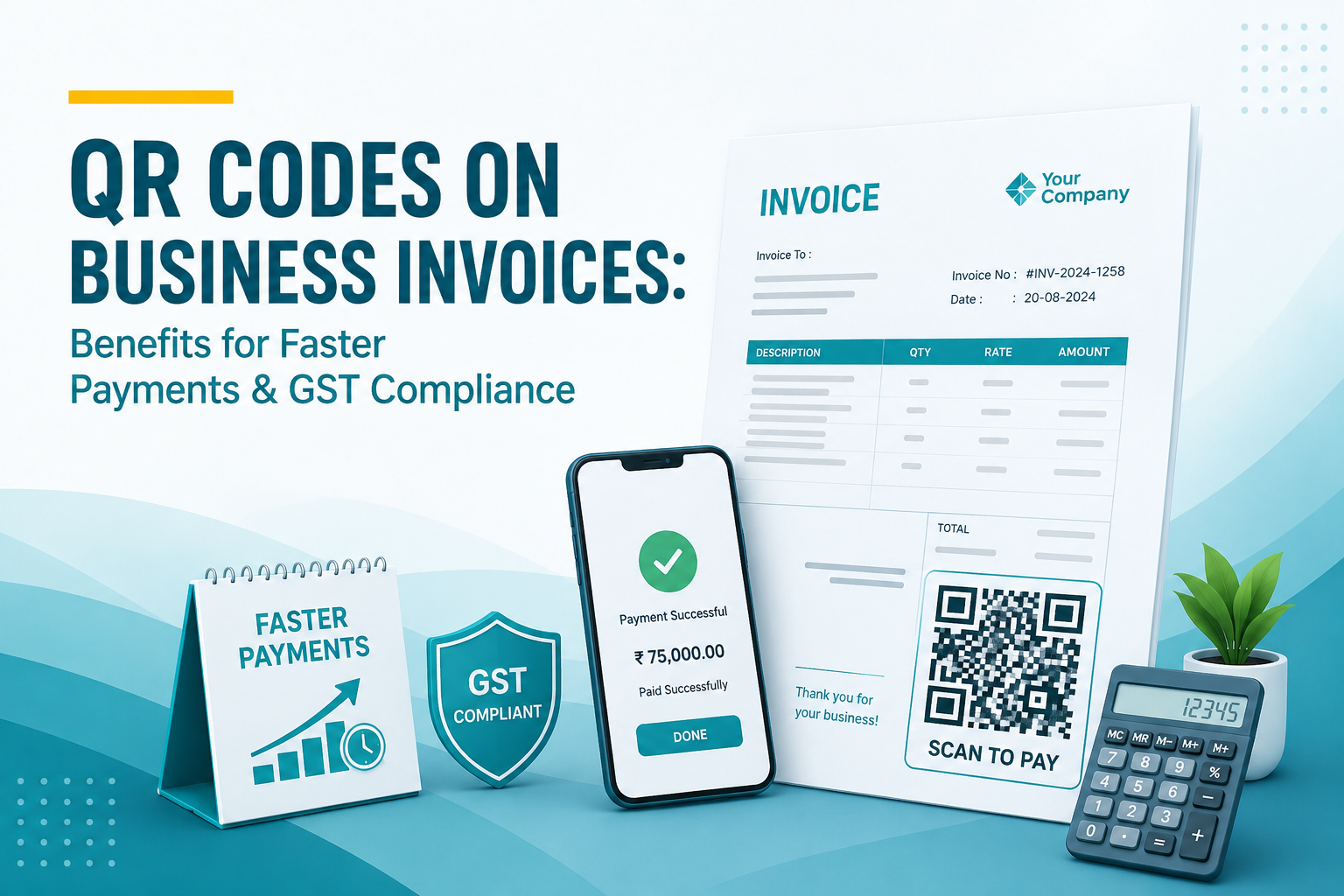
Ever notice how almost every bill you get these days has that little black-and-white square printed somewhere on it? That's a QR code invoice, and honestly, it's become so common now that most of us don't even think twice before scanning it. But there's actually a lot going on behind that tiny code - it's not just about convenience, it's changing how businesses in India get paid and how they stay on the right side of GST rules.
I've spoken to a few small business owners over the past year, and almost all of them say the same thing - once they started using a QR code for invoice billing, their payment collection got noticeably faster. So let's get into why that is, and what you actually need to know about GST compliance around this.
So What Exactly Is a QR Code Invoice?
Nothing fancy really. It's your regular invoice, just with a scannable code added on it. Customer opens their UPI app - Google Pay, PhonePe, whatever they use - scans it, and boom, the amount and account details are already filled in. No typing account numbers, no double-checking IFSC codes at 11 pm because you're worried you fat-fingered a digit.
This is basically what QR code payment has done for small businesses - removed one whole layer of friction from getting paid.
Why Getting Paid Faster Actually Matters
Here's the thing about running a small business - cash flow problems don't wait politely. If your customer delays payment by even a week, it can mess up your own supplier payments, salaries, rent, everything. That's the real reason so many businesses are now shifting to an online invoice generator that automatically slaps a UPI payment for business QR code onto every invoice they send out.
A few things genuinely change once you do this:
-
● Payments Land Almost Instantly
UPI transfers through QR codes usually go through in seconds, not days. You're not sitting around wondering if a cheque bounced or a bank transfer got stuck somewhere.
-
● Way Fewer Mistakes
Anyone who's manually typed out bank details knows how easy it is to mess up one digit. QR codes just skip that whole risk.
-
● Customers Simply Prefer It
Let's be real - nobody wants to write a cheque anymore. Scanning a code takes five seconds. That's it.
Now, Let's Talk GST Compliance
This part trips up a lot of business owners, so let's slow down here.
If your business crosses a certain turnover limit, GST law requires you to generate an e-invoice QR code and no, this is not the same as your regular payment QR code. This one's generated through the government's Invoice Registration Portal (IRP) and it holds encoded invoice info - GSTIN, invoice number, date, invoice value, all of it.
-
● And There's a Separate Rule for B2C Invoices Too
Businesses above a certain turnover also need to show a GST invoice QR code on B2C bills, which lets customers pay directly by scanning - so it's doing two jobs at once, compliance and convenience.
Confusing? Yeah, a bit. Because "QR code" here doesn't mean one single thing - it depends on context. That's honestly where decent GST billing software earns its keep, since it handles both types without you having to manually figure out which is which.
Why Invoice Software Makes This So Much Easier
Try generating QR codes manually for even 50 invoices a month and you'll understand pretty quickly why nobody does it that way anymore. This is exactly the gap that proper invoice software India businesses use fills.
Most decent digital invoice tools these days handle this automatically - you fill in your business and customer details, and the software takes care of:
-
● Formatting the invoice as per GST requirements
-
● Adding a payment QR code tied to your UPI ID or bank account
-
● Generating the compliant e-invoice QR code if you fall under that bracket
-
● Sending everything off directly via email or WhatsApp
For a small business owner juggling ten other things, this genuinely saves hours every month.
A Few Things Worth Keeping In Mind
-
● Double check the QR code is linked to the right account before you send anything out - sounds obvious, but mistakes happen.
-
● If mandatory e-invoicing applies to you, make sure your invoice QR code actually follows IRP format, not just any random generator's output.
-
● GST thresholds and rules shift now and then, so keep your software updated.
-
● Test a QR code yourself once in a while before mass-sending invoices, just to be safe.
Conclusion
At the end of the day, adding QR codes to invoices solves two headaches at once - faster payments and GST compliance, without a ton of manual effort on your part. Whether it's a simple QR code payment setup for quick UPI collections or the mandatory e-invoice QR code for compliance purposes, businesses that get ahead of this tend to have fewer payment delays and a smoother billing process overall. If you're still sending invoices without a QR code and using an online invoice generator that supports it, honestly, it might be time to switch.
Frequently Asked Questions
Is a QR code compulsory on every business invoice in India?
No, not for everyone. It really depends on your turnover and whether the mandatory e-invoicing rule applies to your business.
What's the actual difference between a payment QR code and a GST e-invoice QR code?
A payment QR code is just for collecting money through UPI. The GST e-invoice QR code carries encoded invoice data for compliance purposes, generated through the government's IRP.
Can I just create a QR code myself without using any software?
You could, technically, use a basic UPI QR generator. But for regular business use, it's not practical - software handles it more reliably and with fewer errors.
Does using QR codes help with GST return filing too?
In a way, yes. Since e-invoice QR codes connect to the GST system directly, it tends to reduce mismatches, which makes filing smoother.
Are these QR code invoices actually safe?
Yes, as long as you're generating them through a trusted platform and they're linked to the correct account details.