Table of Contents
|
|
Introduction
Managing business data in Excel works - until your team grows and things start slipping through the cracks. Duplicate records, outdated files, missed follow-ups. It adds up fast.
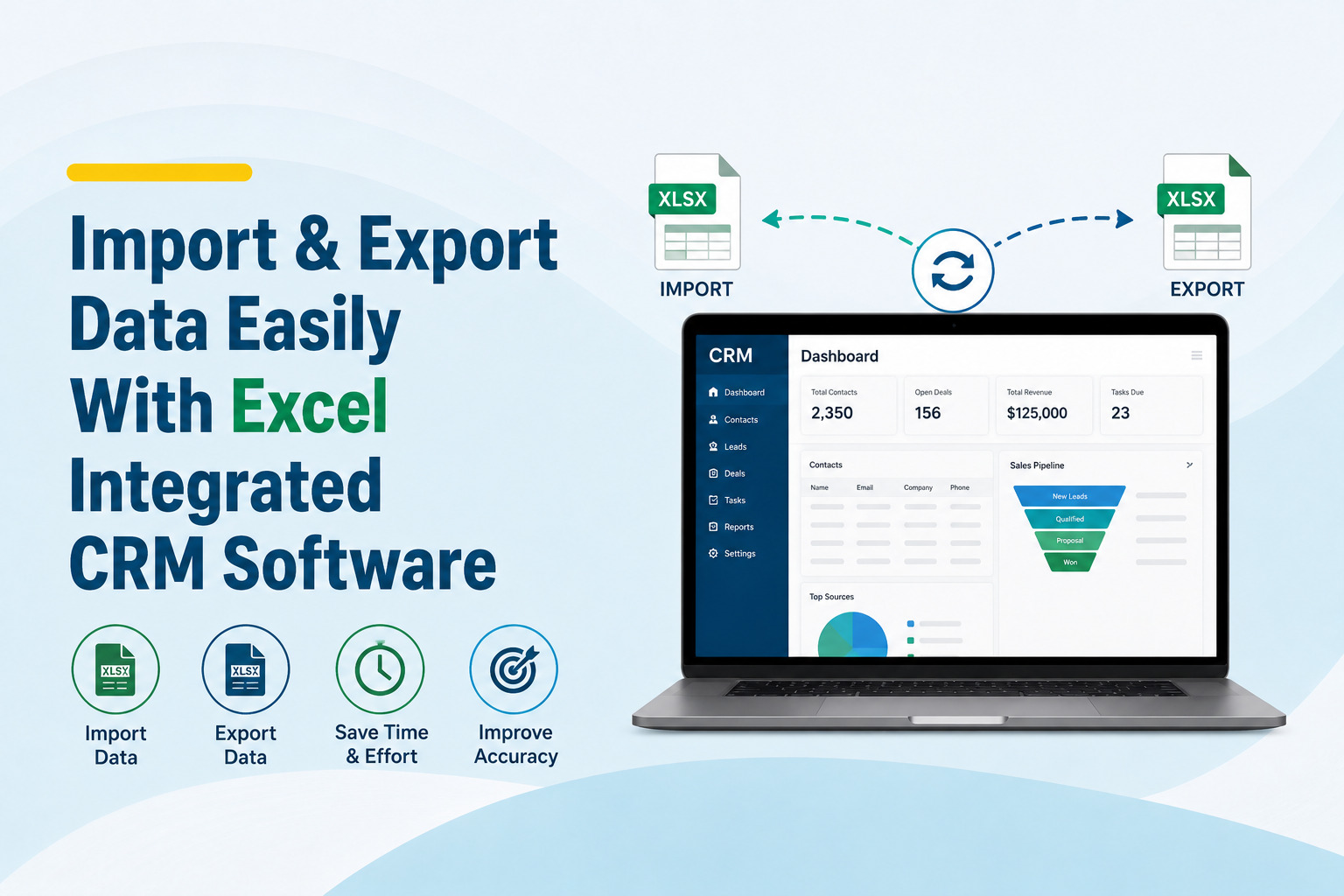
Excel integrated CRM software fixes that without asking you to start over.Bring your existing data in, keep it organised, and export it back to Excel anytime you need it.
Same data. Just finally working the way it should.
Why Excel Users Actually Love CRM Integration
Most business owners resist switching to a CRM because they think it means abandoning Excel completely. That's not true anymore. Modern Excel-based CRM tools are built around the idea that your existing data should move with you - not get left behind.
You can pull your contact lists, lead history, and sales records straight from your spreadsheets into a proper online CRM system without starting from scratch. No manual re-entry. No formatting nightmares. Just a clean, structured import that takes minutes.
The same goes the other way. Need to share a report with a client or your finance team? CRM data export lets you pull organised data back into Excel with one click, formatted exactly the way you need it.
Smarter CRM Data Import Without the Headaches
CRM data import used to mean hours of cleanup work. Wrong column names, missing fields, broken formatting - it was a mess. Today's data migration tools have gotten much smarter about this.
Map Your Fields, Match Your Workflow
-
● Good import tools let you map your existing Excel columns to the right CRM fields before anything gets transferred.
-
● So if your spreadsheet says "Company Name" but the CRM calls it "Organisation," you match them up once and the system remembers it every time after that.
-
● This matters more than people realise. Clean data going in means clean customer data management on the other side. No duplicates. No half-filled records.
Sales Pipeline Management That Actually Reflects Reality
A spreadsheet can show you a list of leads. A proper sales pipeline management tool shows you where every deal stands, what action is needed next, and which ones are about to go cold.
When your lead management CRM pulls directly from your Excel data, your pipeline is already populated from day one. Your team doesn't have to rebuild what you already have - they just start working from it.
Lead tracking system features let you see movement across stages, assign follow-ups, and flag stalled deals before they fall through the cracks. This is the kind of visibility that changes how a sales team operates day to day.
Business Process Automation Saves Real Hours Every Week
Here's what most businesses don't realise until they try it. The real value of CRM automation software isn't just organisation - it's time.
Business process automation handles the repetitive stuff. Follow-up reminders, status updates, data syncing between tools - all of it runs in the background while your team focuses on actual selling and relationship-building.
Pair that with CRM integration tools that connect your email, calendar, and other platforms, and you have a workflow that actually holds together. Nothing falls through the gaps because the system catches it.
CRM Analytics and Reporting Built for Decision-Making
Data sitting in a spreadsheet doesn't tell you much unless you analyse it. CRM analytics inside a proper cloud CRM software turns raw numbers into something you can act on.
Which leads convert most often? Which sales rep is closing fastest? Where does your pipeline slow down? Sales data management becomes a strategic tool rather than just a record-keeping exercise.
Business data management software that includes reporting dashboards means your team stops digging through files and starts making faster, smarter calls.
Who Benefits From a CRM Database Management System
Whether you run a small sales team or manage a large customer database software setup, this approach works because it meets you where you already are.
-
● You're not rebuilding your data from zero. You're just giving it a better home.
-
● Digital business operations run smoother when your tools talk to each other.
-
● Business productivity software that integrates with what your team already uses doesn't create friction - it removes it.
Conclusion
The gap between Excel and a proper CRM data management system is smaller than most people think.
You don't have to lose what you've already built. The right Excel integrated CRM software takes your existing spreadsheet data and puts it to work - organised, connected, and actually useful.
Your data is already there. It just needs a better home.